항공권 예약
 Skyshop
 호텔
호텔
 E-Sim
E-Sim
 E-Visa
 전자 바우처
 외화 등록
외화 등록
 보험
보험
 SkyJoy





웹 사이트에서 고객을위한 예약 지침
Step 1: Search flight
- Access to website: vietjetair.com
- Select and fill up all the information:
- Itinerary;
- Origin - destination;
- Flight date;
- Number of passengers (Adult, children, and infants);
- Fill promotion code: if any
- Click “Let's go”.

Step 2: Select flight, ticket type
Click to view and select the ticket type, fare rule.
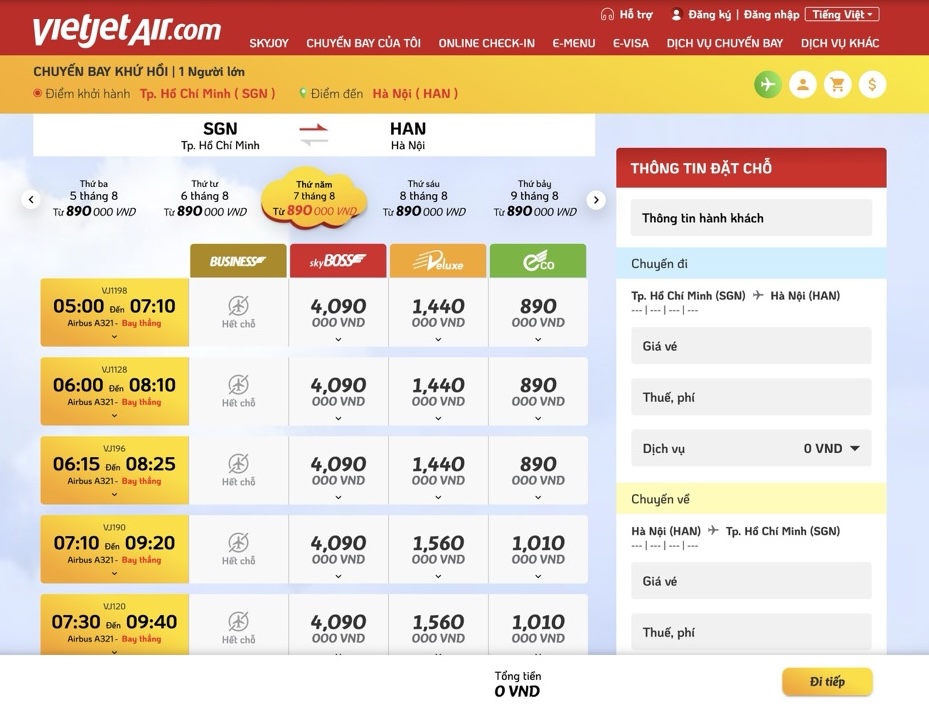
- Select as your need
- Click the "Continue" button.
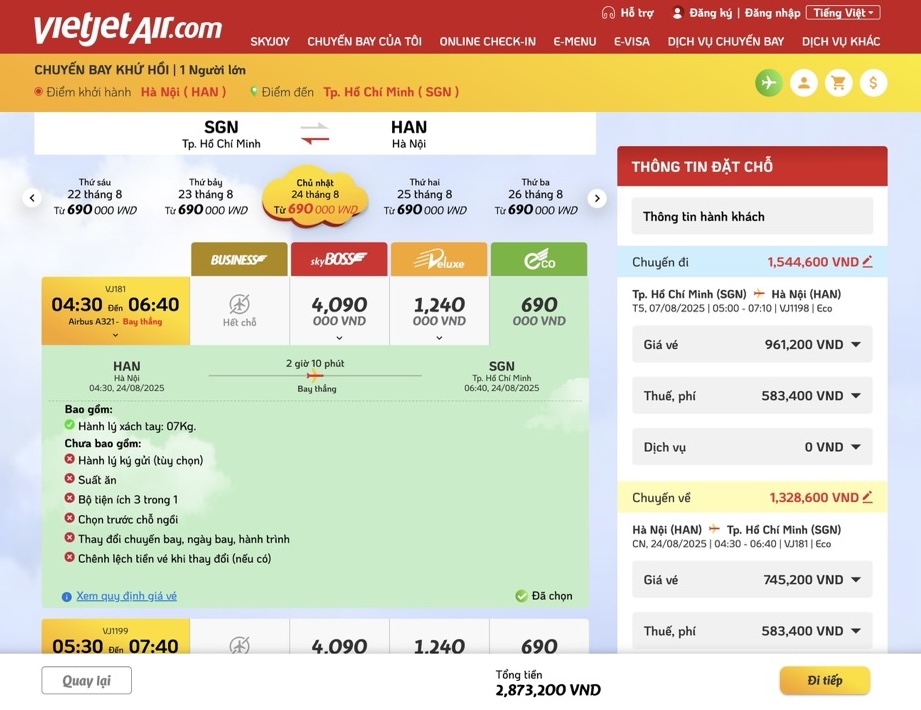
Step 3: Fill Passengers information
- Fill passengers information: Fields marked with "*" are required.
- Fill in the next passenger's information if any
- After filling all the information necessary and required then click "Continue" button.
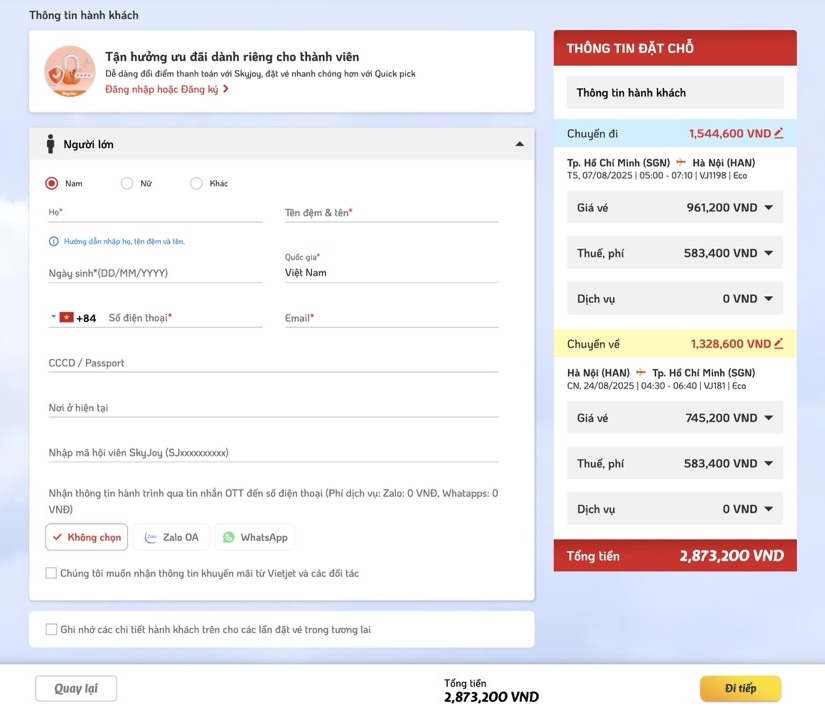
Step 4: Select additional services
You can skip this step by clicking "Next" button if having no need.
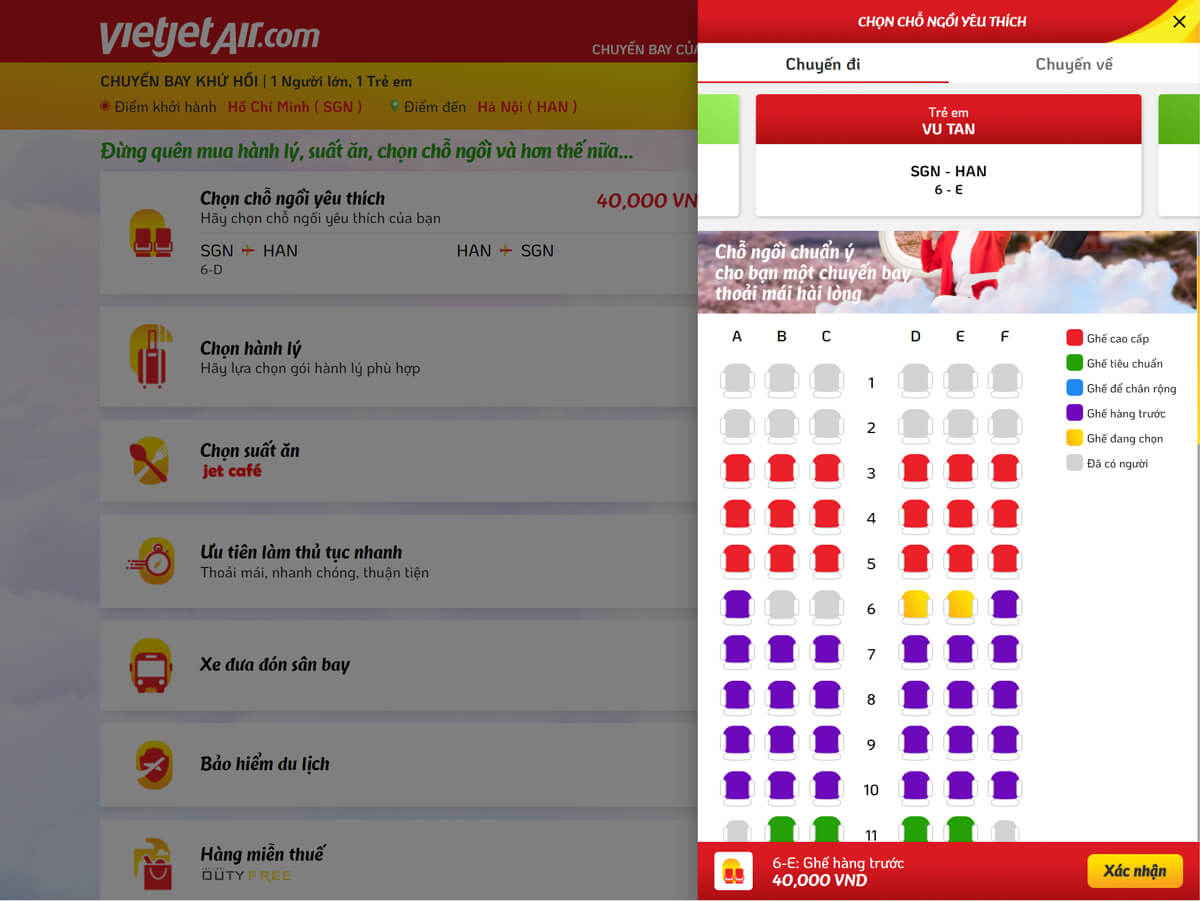
Booking your seat: After selecting your seat, click the "Confirm" button to apply.
- If you don't need: Select "No, thanks"
- Cancel booked seat by selecting: select "Cancel".
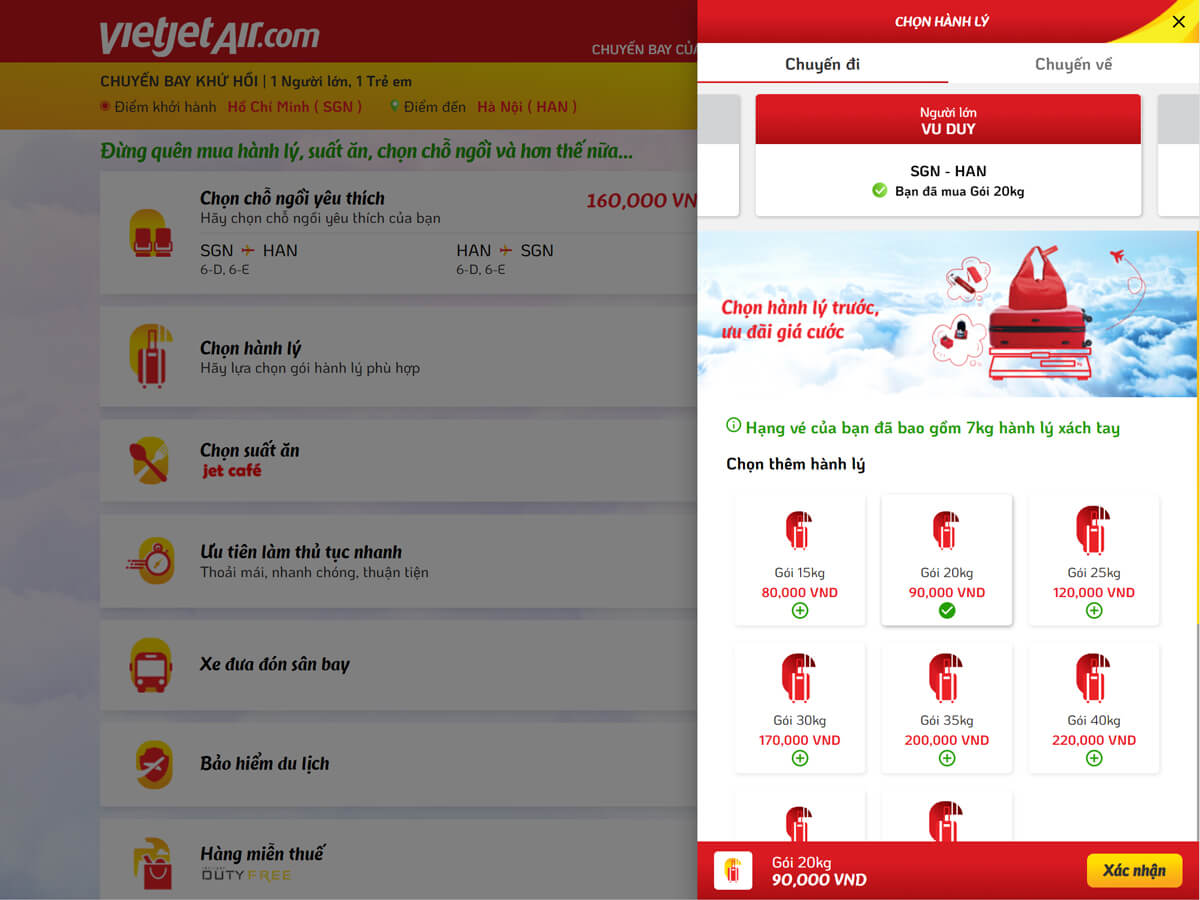
Select your baggage
- Select as your need.
- Select "No, thanks" if you wanna cancel baggage.
- Click the "Confirm" button to apply.
Hot meals
- Click "+" icon to select your meals, you can adjust quantity by press "+" or "-"button.
- Click the "icon" button to apply.
- Click "No, Thanks" if you don't want to book hotmeal.

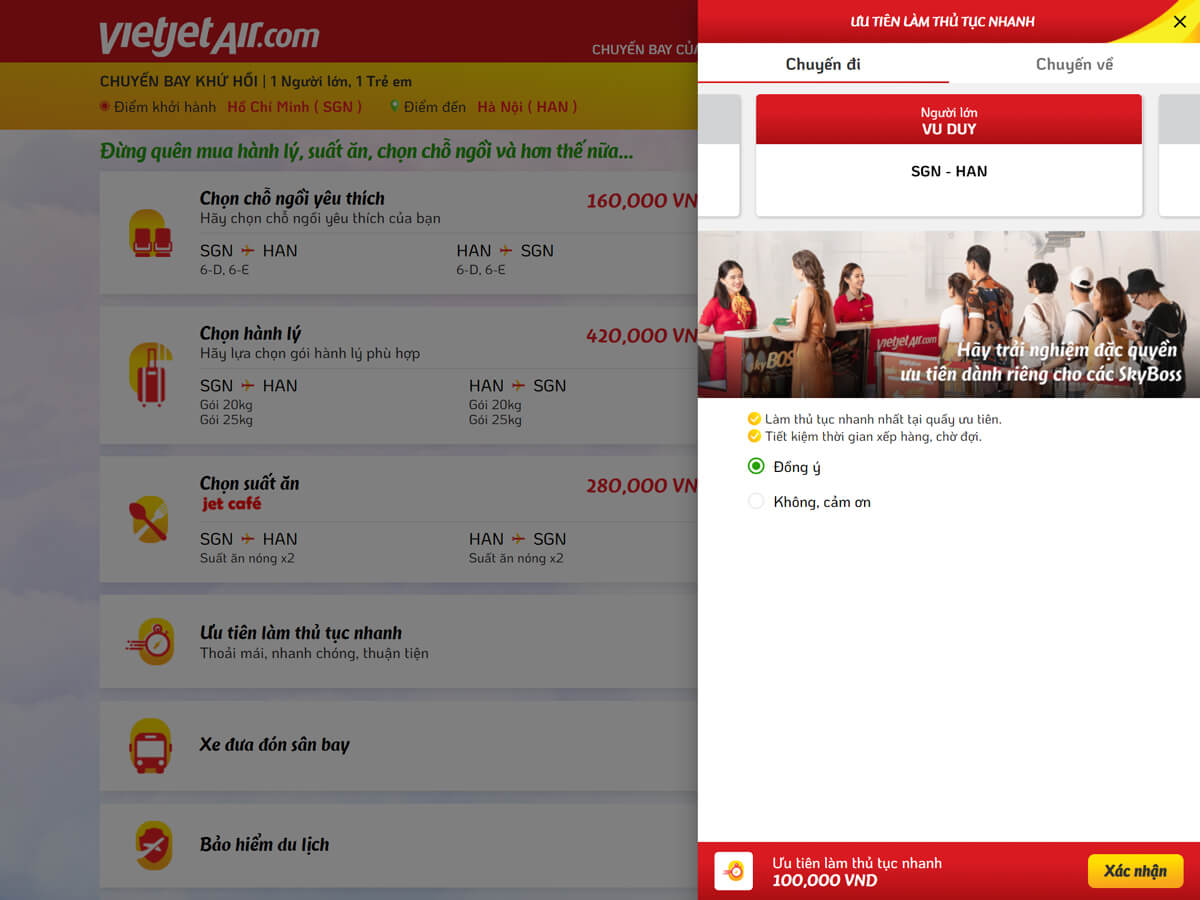
Priority check-in service
- To book this service: select "Agree".
- Select "No, Thanks" if you don't want to select this service.
- Click the "Confirm" button to apply.
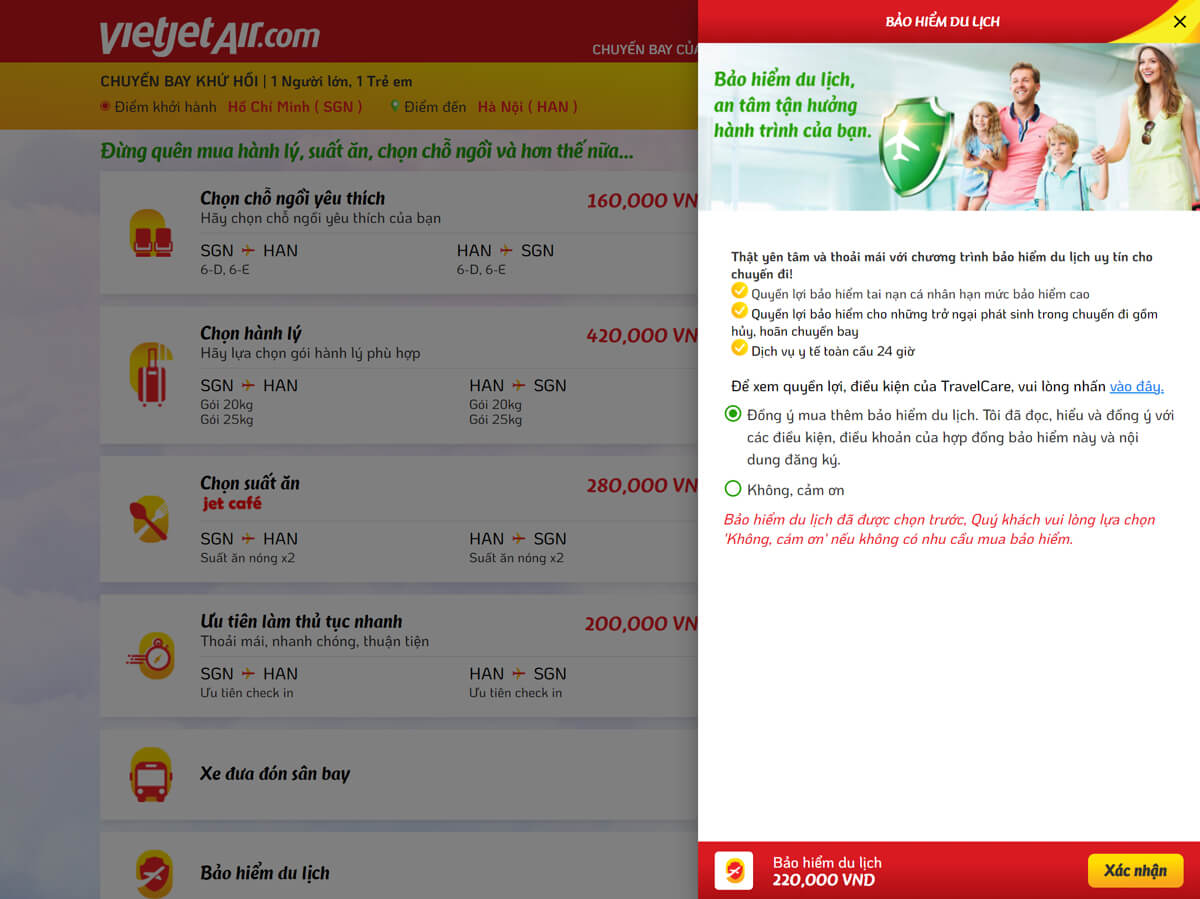
Travel insurance
- Select "Agree" if wanna book this service.
- Select "No, thanks" if don't want to select this service.
- Click the "Confirm" button to apply.
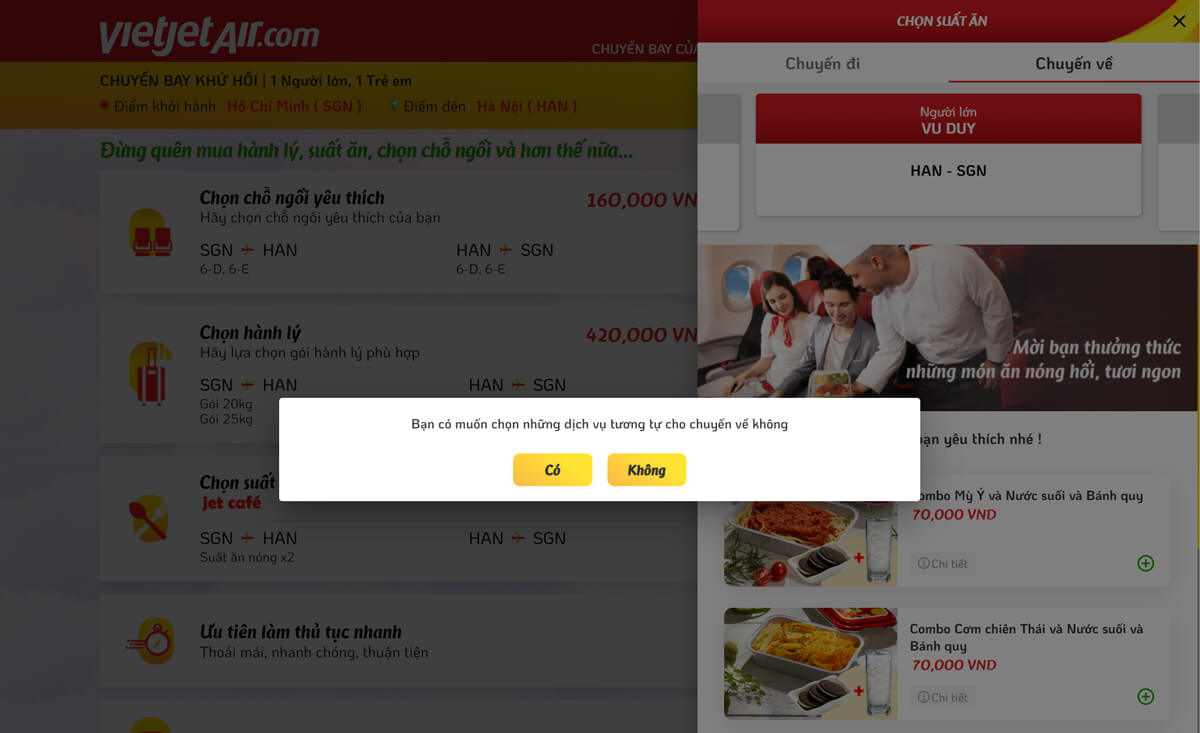
For round-trip itinerary: after you select additional services like baggage, hot meals, seats,…for one way, the system will always display a notice: “Reserve same services for your return flight?”
- Same services, select: “Yes”.
- Others, select “No”.
Click the “Next” button after finishing all added services.
Step 5: Check reservation and make payment
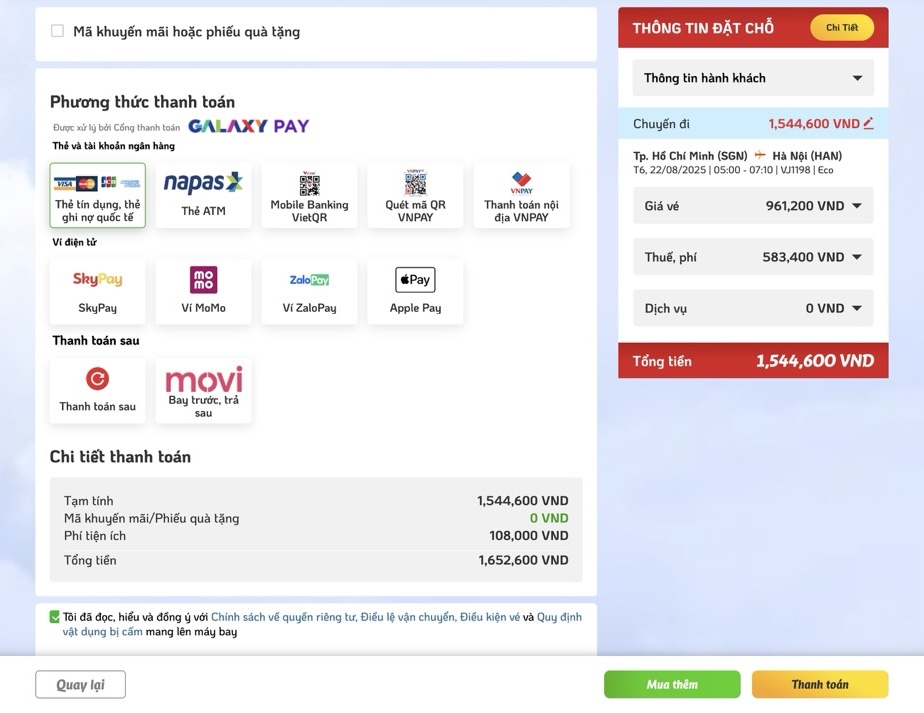
Your itinerary summary page will be displayed. Here, please check the information and choose the payment method.
- Check your reservation by clicking "Detail" button or click on the triangular icon corresponding to "Price", "Taxes and fees" or Add-on.
- Select your payment method.
Select "Agree" on the "Vietjet recommendation" section then click "Next" to make payment.
Step 6: Finishing
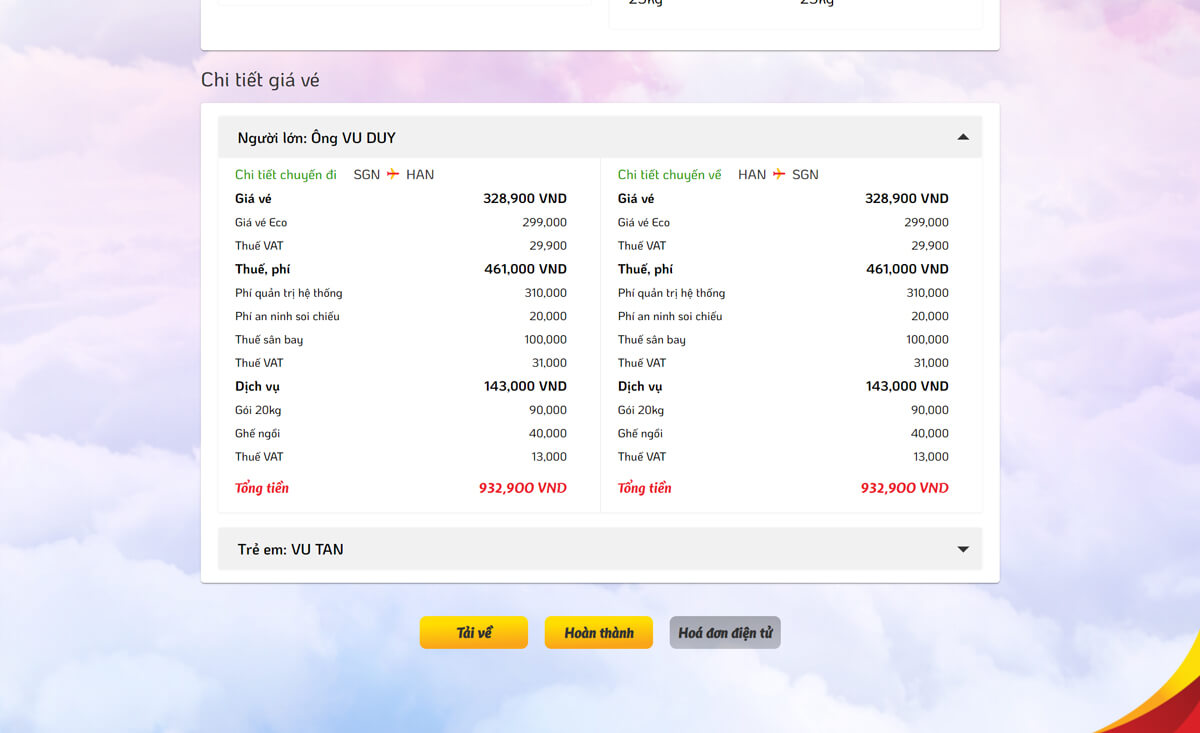
The screen retuurns after successful checkout step.
Click the "Complete" button to return the home page and complete reservation.
Within 5 minutes after booking successfully, you still have not received the e-ticket via registered email, please visit website: vietjetair.com to search e-ticket information or contact call center via 1900 1886 for being supported. (The same process for lossing)
To check reservation
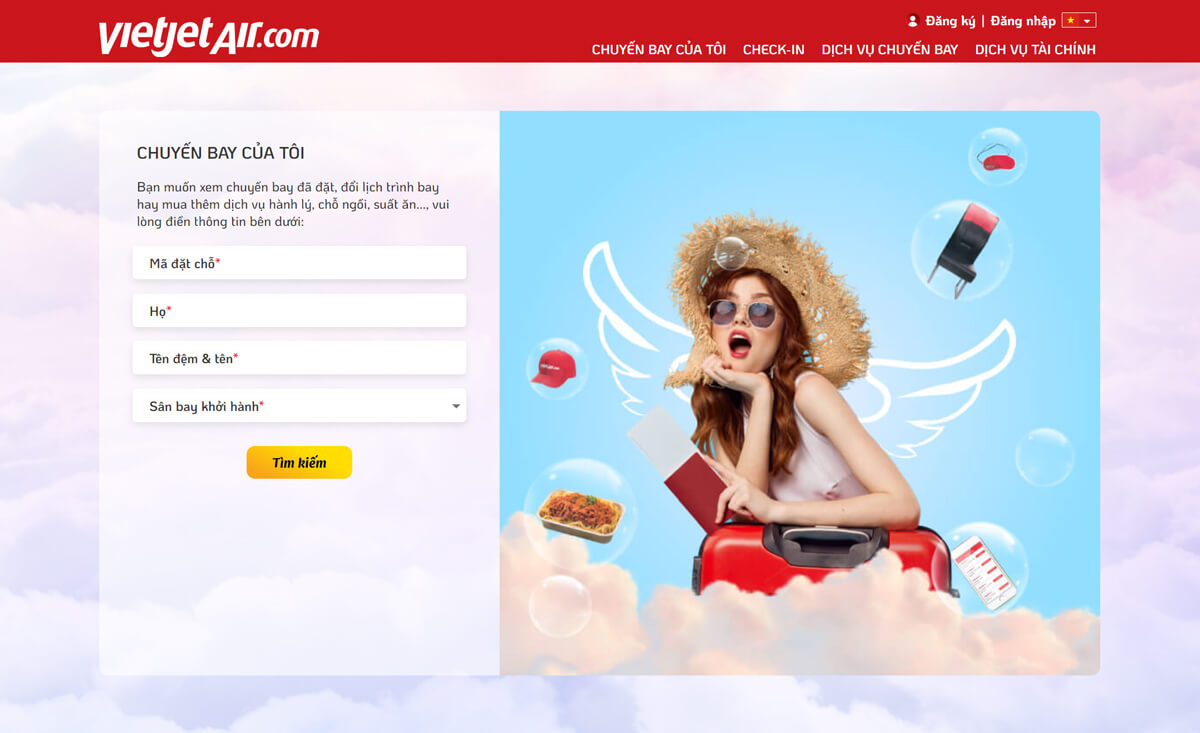
- Click “MY BOOKING” on the menu header at vietjet website.
- Fill your information and click "Search"
Wishing you a pleasant and great flight experience with VietJet Air !!!